
A content delivery network (CDN) leaves fingerprints in three places: HTTP response headers, DNS records and the owner of the IP address. This guide shows how to find what CDN a website uses with each of them. Every check comes with real output from sites on Cloudflare, Amazon CloudFront, Fastly and Akamai.
Quick Answer: To find what CDN a website uses, check its HTTP response headers with browser developer tools or
curl -I. Look forcf-ray(Cloudflare),x-amz-cf-pop(CloudFront),x-served-by: cache-...(Fastly),server: AkamaiGHost(Akamai) orx-vercel-id(Vercel). If the headers say nothing, run our DNS lookup tool and follow the CNAME chain to the CDN's domain, or look up who owns the IP with our IP lookup tool.
What is a CDN?
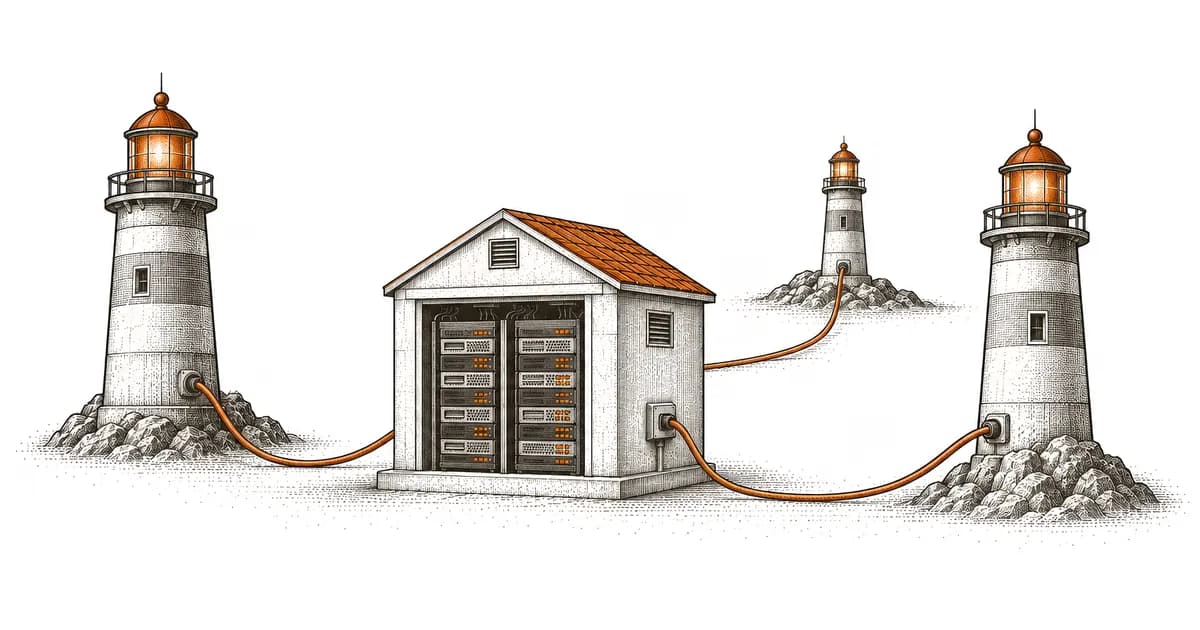
A CDN is a network of servers that caches a website's content and serves it from locations close to visitors. Requests no longer travel to a single origin server. The CDN answers from the nearest edge server, which cuts latency and absorbs traffic spikes.
How CDNs work
- A visitor requests
example.com/image.jpg - DNS resolves the domain to the CDN's nearest edge server, not the origin
- If the edge server has the file cached, it serves it at once (cache HIT)
- If not, the edge server fetches it from the origin, serves it and caches it for later requests (cache MISS)
Large CDNs run hundreds of edge locations. Cloudflare lists data centers in 348 cities, and AWS lists 750+ points of presence for CloudFront (both checked in October 2026). Fastly publishes its locations on a network map and states 622 Tbps of connected capacity.
Method 1: HTTP response headers (most reliable)
CDNs add their own headers to the responses they serve. Reading these headers is the fastest way to detect which CDN a website uses.
How to check
curl -sI https://discord.comOr in the browser: open Developer Tools (F12) > Network tab > reload > click the first request > Response Headers.
Real output from four CDNs
All four commands below ran on 2026-10-12. The output is trimmed to the CDN headers.
Cloudflare (discord.com):
curl -sI https://discord.com | grep -iE "^(server|cf-)"cf-ray: a4942dfc8c590247-WAW
cf-cache-status: HIT
server: cloudflare
The site uses Cloudflare. The response came from cache (HIT), and the cf-ray suffix WAW names the data center that answered (Warsaw).
Amazon CloudFront (canva.com):
curl -sI https://canva.com | grep -iE "^(server|x-cache|via|x-amz-cf-pop)"server: CloudFront
x-cache: FunctionGeneratedResponse from cloudfront
via: 1.1 2ad9de04c00b51e4e4ed62d4526e1484.cloudfront.net (CloudFront)
x-amz-cf-pop: WAW51-P6
x-amz-cf-pop names the CloudFront edge location. Here x-cache says a CloudFront Function generated the response (a redirect) without contacting the origin.
Fastly (pypi.org):
curl -sI https://pypi.org | grep -iE "^(server|via|x-served-by|x-cache)"server: gunicorn
x-served-by: cache-iad-khef600040-IAD, cache-iad-khef600051-IAD, cache-fra-etou8220096-FRA
x-cache: MISS, HIT, HIT
x-cache-hits: 0, 4, 1
The server header names the origin's software (gunicorn), not the CDN. The x-served-by values in the cache-<pop>-... format identify Fastly. They list each Fastly cache the request passed through, and the last one (FRA, Frankfurt) is the edge that answered.
Akamai (www.microsoft.com):
curl -sI https://www.microsoft.com | grep -iE "^server"server: AkamaiGHost
AkamaiGHost is the name of Akamai's edge server software.
CDN header signatures
| CDN | Key Headers | Example Values |
|---|---|---|
| Cloudflare | server, cf-ray, cf-cache-status | server: cloudflare, cf-ray: a4942dfc8c590247-WAW |
| Amazon CloudFront | x-cache, via, x-amz-cf-pop, x-amz-cf-id | x-cache: Hit from cloudfront, x-amz-cf-pop: WAW51-P6 |
| Fastly | x-served-by, x-cache, via | x-served-by: cache-fra-etou8220096-FRA, via: 1.1 varnish |
| Akamai | server, x-akamai-transformed | server: AkamaiGHost |
| Google Cloud CDN | via | via: 1.1 google |
| Azure Front Door | x-azure-ref, x-cache | x-azure-ref: 0zxV+XAAAAAB... |
| Vercel | server, x-vercel-id, x-vercel-cache | server: Vercel, x-vercel-id: arn1::iad1::... |
| Netlify | server, x-nf-request-id | server: Netlify |
| Bunny CDN | server, cdn-pullzone, cdn-cache | server: BunnyCDN-PL1-1532 |
| KeyCDN | server, x-cache, x-edge-location | server: keycdn |
The Vercel, Netlify, Bunny CDN and KeyCDN values come from their own sites (vercel.com, www.netlify.com, bunny.net, www.keycdn.com) on 2026-10-12.
Method 2: DNS record analysis
To route traffic through a CDN, a site points its DNS at the CDN. CNAME records and nameservers show where it points.
How to check DNS
Use our DNS lookup tool or the command line:
dig www.nytimes.com +noall +answerwww.nytimes.com. 596 IN CNAME www.prd.map.nytimes.com.
www.prd.map.nytimes.com. 596 IN CNAME www.prd.map.nytimes.xovr.nyt.net.
www.prd.map.nytimes.xovr.nyt.net. 596 IN CNAME nytimes.map.fastly.net.
nytimes.map.fastly.net. 56 IN A 151.101.193.164
nytimes.map.fastly.net. 56 IN A 151.101.1.164
CNAME records often chain through several names. The New York Times chain passes through two of its own hostnames before it reaches nytimes.map.fastly.net. The last name in the chain reveals the CDN: Fastly.
Two more chains, checked on 12 October 2026:
www.imdb.com.                   1691 IN CNAME tp.391b988c0-frontier.imdb.com.
tp.391b988c0-frontier.imdb.com.   22 IN CNAME d2bytcopxu066p.cloudfront.net.
d2bytcopxu066p.cloudfront.net.    22 IN A     18.66.226.190
www.microsoft.com.                 3595 IN CNAME www.microsoft.com-c-3.edgekey.net.
www.microsoft.com-c-3.edgekey.net.  895 IN CNAME e13678.dscb.akamaiedge.net.
e13678.dscb.akamaiedge.net.          15 IN A     23.197.162.102
IMDb ends at CloudFront (*.cloudfront.net), and Microsoft ends at Akamai (*.akamaiedge.net).
CDN DNS patterns
| CDN | DNS Indicator |
|---|---|
| Cloudflare | NS records: *.ns.cloudflare.com, or a CNAME to *.cdn.cloudflare.net |
| Amazon CloudFront | CNAME: d1234abcd.cloudfront.net |
| Fastly | CNAME: *.fastly.net, or an A record in 151.101.0.0/16 |
| Akamai | CNAME chain ending in *.akamaiedge.net (often via *.edgekey.net or *.edgesuite.net) |
| Azure Front Door | CNAME: *.azurefd.net (older Azure CDN endpoints used *.azureedge.net) |
| Vercel | CNAME: cname.vercel-dns.com or a project-specific *.vercel-dns-0XX.com, or A: 76.76.21.21 |
| Netlify | CNAME: *.netlify.app, or A: 75.2.60.5 |
| Bunny CDN | CNAME: *.b-cdn.net |
The Vercel and Netlify values come from Vercel's domain docs and Netlify's external DNS docs.
For more on reading DNS records, see our guide on how to find DNS records for any domain.
Method 3: IP address range lookup
Every CDN serves traffic from IP ranges it owns. Resolve the domain's IP, then check which network owns it.
How to check
- Resolve the domain's IP:
dig +short pypi.org A151.101.64.223
151.101.128.223
151.101.192.223
151.101.0.223
- Look up the IP's owner:
whois 151.101.64.223 | grep -iE "^(CIDR|NetName|OrgName)"CIDR: 151.101.0.0/16
NetName: SKYCA-3
OrgName: Fastly, Inc.
Our IP lookup tool shows the same owner with its autonomous system number (ASN): AS54113 Fastly, Inc.
Common CDN IP ranges
| CDN | Example Published Ranges | ASN |
|---|---|---|
| Cloudflare | 104.16.0.0/13, 172.64.0.0/13, 162.158.0.0/15 (full list) | AS13335 |
| Amazon CloudFront | 13.32.0.0/15, 52.84.0.0/15, 3.174.0.0/15 (ip-ranges.json, service CLOUDFRONT) | AS16509 |
| Fastly | 151.101.0.0/16, 199.232.0.0/16 (public IP list) | AS54113 |
| Akamai | No single public list | AS20940, AS16625 and others |
The ASNs match what ipinfo.io returned on 12 October 2026 for discord.com (AS13335), canva.com (AS16509), pypi.org (AS54113) and www.microsoft.com (AS16625).
Try it yourself
Check any website's hosting
Enter a domain or IP to see hosting provider, DNS records, and more.
Our hosting check runs these checks for you. It reads the response headers, the CNAME chain and the IP's network, then names the CDN with the evidence behind it. It recognizes Cloudflare, Fastly, Akamai, CloudFront, Azure Front Door, Bunny CDN, KeyCDN and other CDNs.
Method 4: Browser developer tools
You can detect CDNs in your browser without a command line.
Steps
- Visit the website
- Open Developer Tools (
F12orCmd+Option+I) - Go to the Network tab
- Reload the page (
Cmd+RorCtrl+R) - Click the first request (the main document)
- Inspect Response Headers for the CDN headers in the table above
What to look for
Check the requests for images, CSS and JavaScript as well as the main document. Some sites serve HTML from the origin and only their static files from a CDN, often on a subdomain like static.example.com or cdn.example.com. Look at the domain and headers of those requests.
Method 5: Page source and asset URLs
Sometimes the page's HTML source shows the CDN.
Common patterns in source code
<!-- Cloudflare-specific script -->
<script src="/cdn-cgi/scripts/abc123/cloudflare-static/rocket-loader.min.js"></script>

<!-- CloudFront distribution -->
<img src="https://d1234abcdef.cloudfront.net/images/logo.png" />

<!-- Bunny CDN pull zone -->
<link rel="stylesheet" href="https://example.b-cdn.net/styles/main.css" />

<!-- Cloudflare bot challenge page -->
<noscript>Enable JavaScript and cookies to continue</noscript>
The /cdn-cgi/ path belongs to Cloudflare. For example, the bot challenge page that medium.com returned to curl on 12 October 2026 loads scripts from /cdn-cgi/challenge-platform/. Asset URLs on CDN domains (*.cloudfront.net, *.b-cdn.net, *.azureedge.net) reveal the CDN for static files.
Common CDNs and their use cases
The major CDNs serve different needs:
| CDN | Type | Common Use | Notable Features |
|---|---|---|---|
| Cloudflare | Full proxy + CDN | General websites, security | Free plan, DDoS protection, WAF |
| Amazon CloudFront | CDN | AWS-hosted apps, media | AWS integration, Lambda@Edge, CloudFront Functions |
| Fastly | CDN + edge compute | High-traffic media, APIs | Fast purging, VCL configuration |
| Akamai | Enterprise CDN | Large enterprises, media delivery | Enterprise contracts and security products |
| Vercel | Hosting + CDN | Next.js and other frontend frameworks | Git deployments, edge functions |
| Netlify | Hosting + CDN | Static sites, Jamstack | Git deployments, forms |
| Bunny CDN | CDN | Cost-sensitive projects | Pay-as-you-go pricing |
| KeyCDN | CDN | WordPress, general content | Pay-as-you-go pricing |
When a website uses more than one CDN
Some websites use different CDNs for different jobs:
- The main site on Cloudflare, for the proxy and security
- Video on CloudFront
- Third-party scripts from Google's CDN (
ajax.googleapis.com)
To see every CDN on a page, open the Network tab in developer tools and group requests by domain. Each external domain may use a different CDN.
Frequently Asked Questions
Can I tell if a website uses a CDN without any tools?
Not reliably. A fast site may use a CDN, or it may have a well-tuned origin server close to you. To know for sure, check the HTTP headers in your browser's developer tools, which every desktop browser includes.
What if no CDN headers appear: does that mean no CDN is used?
No. Some sites strip or rename the CDN's headers. On 12 October 2026, www.apple.com returned server: Apple and no CDN header. Its DNS still gives it away: the CNAME chain runs through www.apple.com.edgekey.net to e6858.dsce9.akamaiedge.net, which is Akamai. When the headers say nothing, check the CNAME chain and the IP owner.
Does using a CDN hide the actual hosting provider?
When a CDN proxies traffic (like Cloudflare in proxy mode), the domain resolves to the CDN's IP, not the origin host's. The hosting provider is hidden at the IP level. To find the origin host, check the MX and other DNS records, DNS history, or subdomains that skip the proxy. See the guide on finding a website's hosting provider for more methods.
Is it possible for a website to use no CDN at all?
Yes. Many smaller websites serve all traffic straight from their origin server. That works for sites with a regional audience and moderate traffic. A global audience or traffic spikes are the usual reasons to add a CDN.
Wrapping up
To find a website's CDN, start with the HTTP response headers: Cloudflare, CloudFront, Fastly and Akamai each add their own. If the headers are stripped, follow the CNAME chain to its last name, or look up the IP owner.
Enter any domain into our hosting check to see its CDN next to its DNS records, IP geolocation, SSL certificate and hosting provider. For single checks, use the DNS lookup tool or the IP lookup tool.
Related articles

Written by
Piotr KulpinskiFounder of HostingChecker.online and a web developer with over a decade of experience in DNS, hosting infrastructure, and domain management. Piotr builds tools that help developers and site owners understand their web stack. Other products: OpenAlternative, EuroAlternative, Revinel and Dirstarter.