
What Is DNS and How Does It Work?
What is DNS and how does it work? A beginner-friendly guide to the Domain Name System, DNS records, security, and privacy. Check any domain's records free.

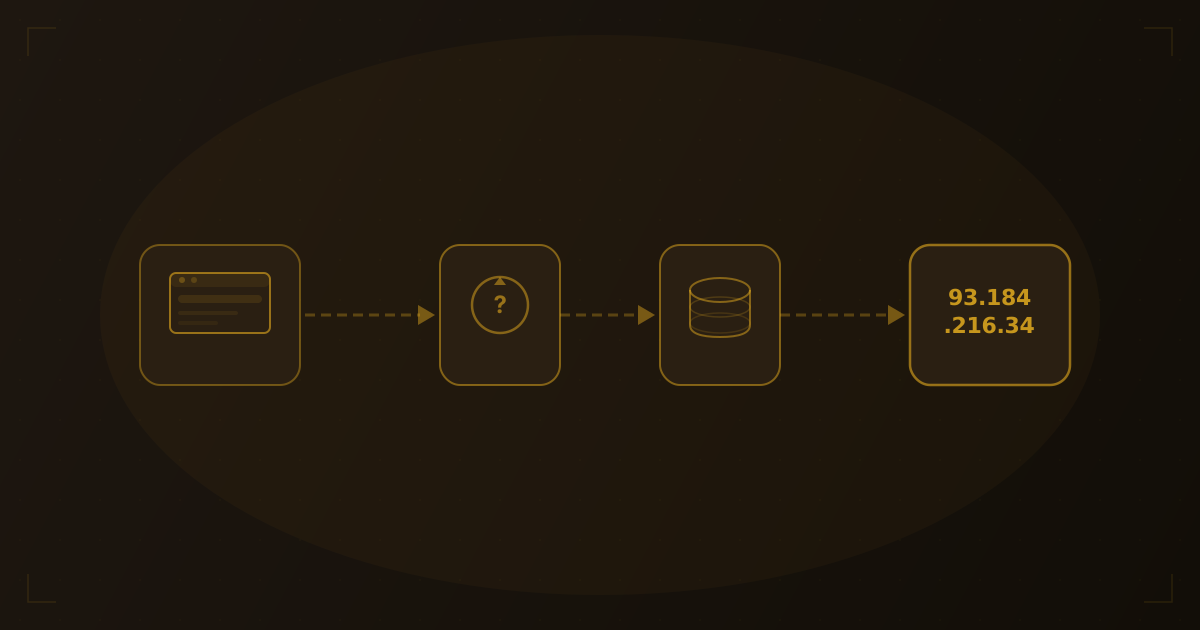
Every time you type a URL into your browser, something invisible happens in milliseconds — a system called DNS translates that human-readable domain name into a machine-readable IP address. We've spent years working with DNS lookups and resolution data, and it never stops being remarkable how much infrastructure sits behind a single keystroke. Without DNS, you'd have to memorize strings of numbers like 93.184.216.34 to visit your favorite websites.
What is DNS?
DNS stands for Domain Name System. Think of it as the internet's phonebook. Just as a phonebook maps names to phone numbers, DNS maps domain names (like example.com) to IP addresses (like 93.184.216.34).
DNS is distributed across millions of servers worldwide, making it one of the largest and most resilient databases on the planet.
How DNS Resolution Works
When you enter a URL in your browser, a multi-step process called DNS resolution begins:
1. Browser Cache Check
Your browser first checks its local cache. If you've visited the site recently, the IP address may already be stored — no external lookup needed.
2. Operating System Cache
If the browser cache misses, the request goes to your operating system's DNS resolver. Your OS maintains its own cache of recent lookups.
3. Recursive Resolver
If neither local cache has the answer, the query goes to a recursive resolver — usually operated by your ISP or a public DNS provider like Google (8.8.8.8) or Cloudflare (1.1.1.1).
4. Root Nameservers
The recursive resolver contacts one of the 13 root nameserver clusters. These don't know the final IP address, but they know which servers are authoritative for top-level domains like .com, .org, or .net.
5. TLD Nameservers
The root server directs the resolver to the appropriate TLD (Top-Level Domain) nameserver. For example.com, that would be the .com TLD nameserver.
6. Authoritative Nameserver
Finally, the TLD nameserver points to the authoritative nameserver for the specific domain. This server holds the actual DNS records and returns the IP address.
Common DNS Record Types
DNS doesn't just map names to IPs. There are several record types, each serving a different purpose:
| Record | Purpose | Example |
|---|---|---|
| A | Maps domain to IPv4 address | example.com → 93.184.216.34 |
| AAAA | Maps domain to IPv6 address | example.com → 2606:2800:220:1:... |
| CNAME | Alias for another domain | www.example.com → example.com |
| MX | Mail server for the domain | example.com → mail.example.com |
| TXT | Arbitrary text (SPF, DKIM, etc.) | v=spf1 include:_spf.google.com |
| NS | Authoritative nameservers | example.com → ns1.provider.com |
Each record type plays a specific role in how your domain functions. For a deep dive into every record type — including SOA, SRV, CAA, and more — see our complete guide to DNS records.
MX records deserve special attention if you use email. Misconfigured MX records are one of the most common causes of email delivery failures. Learn how to verify yours in our guide on how to check MX records.
DNS Caching and TTL
To avoid repeating the full lookup every time, DNS responses include a TTL (Time to Live) value — measured in seconds — that tells resolvers how long to cache the result.
- Short TTL (e.g., 300 seconds): Changes propagate quickly, but more DNS queries are made
- Long TTL (e.g., 86400 seconds): Fewer queries, but changes take longer to propagate
This is why DNS changes don't take effect instantly — in our experience, it can take anywhere from a few minutes to several hours for cached records to expire worldwide.
DNS Security
The original DNS protocol was designed in the 1980s without security in mind. DNS queries and responses travel in plain text, making them vulnerable to interception and manipulation. Over the years, several security extensions have been developed to address these weaknesses.
DNSSEC (DNS Security Extensions)
DNSSEC adds a layer of authentication to DNS responses by digitally signing DNS records. When a resolver receives a DNSSEC-signed response, it can verify that the data actually came from the authoritative nameserver and hasn't been tampered with in transit.
Here's why DNSSEC matters:
- Prevents DNS spoofing (cache poisoning) — Without DNSSEC, an attacker can inject false DNS records into a resolver's cache, redirecting visitors to malicious sites. DNSSEC makes this attack significantly harder because forged responses won't have valid cryptographic signatures.
- Builds a chain of trust — DNSSEC works by establishing a chain of signed records from the root zone down to the individual domain. Each level validates the one below it, creating a hierarchical trust model managed by ICANN.
- Does not encrypt DNS traffic — DNSSEC only authenticates that responses are genuine. It doesn't hide your DNS queries from observers. For encryption, you need DNS over HTTPS or DNS over TLS (covered in the next section).
Common DNS attacks
Understanding what DNSSEC protects against helps explain why it matters:
| Attack | How It Works | DNSSEC Protection |
|---|---|---|
| DNS cache poisoning | Attacker injects fake records into a resolver's cache | Yes — signatures prevent acceptance of forged responses |
| DNS hijacking | Attacker changes DNS records at the registrar or nameserver level | Partial — DNSSEC detects unauthorized changes but can't prevent registrar compromise |
| Man-in-the-middle | Attacker intercepts DNS traffic between client and resolver | Yes — signed responses reveal tampering |
| DNS tunneling | Attacker uses DNS queries to exfiltrate data | No — DNSSEC doesn't inspect query content |
DNS Privacy
Even with DNSSEC authenticating responses, traditional DNS queries are sent in plain text. This means your ISP, network administrator, or anyone monitoring your network traffic can see every domain you visit. Two modern protocols solve this problem.
DNS over HTTPS (DoH)
DNS over HTTPS encrypts DNS queries inside standard HTTPS traffic on port 443. This makes DNS lookups indistinguishable from regular web traffic, preventing network observers from seeing which domains you're resolving.
DoH is supported by all major browsers. Firefox, Chrome, Edge, and Safari can all send DNS queries over HTTPS, often using Cloudflare (1.1.1.1) or Google (8.8.8.8) as the resolver.
DNS over TLS (DoT)
DNS over TLS encrypts DNS queries using TLS on a dedicated port (853). Unlike DoH, DoT traffic is identifiable as DNS (because it uses a distinct port), but the content of the queries is encrypted.
DoT is commonly used at the operating system level rather than in individual browsers. Android 9+ supports DoT natively through its "Private DNS" setting.
DoH vs DoT comparison
| Feature | DNS over HTTPS (DoH) | DNS over TLS (DoT) |
|---|---|---|
| Port | 443 (same as HTTPS) | 853 (dedicated) |
| Traffic visibility | Blends with web traffic | Identifiable as DNS |
| Browser support | All major browsers | Limited |
| OS support | Via browser or system config | Android 9+, some Linux distros |
| Best for | Privacy from network observers | System-wide DNS encryption |
Both protocols are a significant improvement over plain-text DNS. We've found that which one you choose depends on whether you prioritize blending in with regular traffic (DoH) or prefer a cleaner network-level implementation (DoT).
Popular DNS Providers
If you've ever configured a device's DNS settings, you've likely encountered public DNS providers. These services replace your ISP's default DNS resolver with one that may be faster, more private, or offer additional features like malware filtering.
| Provider | Primary IP | Secondary IP | Speed | Privacy | Filtering |
|---|---|---|---|---|---|
| Google Public DNS | 8.8.8.8 | 8.8.4.4 | Very fast | Logs queries temporarily | No filtering |
| Cloudflare | 1.1.1.1 | 1.0.0.1 | Fastest (typically) | No query logging | Optional (1.1.1.2 for malware, 1.1.1.3 for malware + adult) |
| Quad9 | 9.9.9.9 | 149.112.112.112 | Fast | No personal data logging | Blocks known malicious domains |
| OpenDNS | 208.67.222.222 | 208.67.220.220 | Fast | Logs queries | Customizable content filtering |
Choosing a DNS provider
- For speed — Cloudflare's 1.1.1.1 consistently ranks among the fastest public resolvers
- For privacy — Cloudflare and Quad9 both commit to minimal logging. Cloudflare purges logs within 24 hours and does not log source IP addresses
- For security — Quad9 automatically blocks domains associated with malware, phishing, and botnets
- For families — OpenDNS FamilyShield and Cloudflare's 1.1.1.3 filter adult content without requiring software installation
Why DNS Matters for Hosting
Understanding DNS is essential for anyone managing a website:
- Domain setup: When you buy a domain and point it to a host, you're updating DNS records
- Email delivery: MX records determine where email for your domain is routed
- CDN configuration: CNAME records are commonly used to route traffic through CDNs
- Troubleshooting: When a site goes down, DNS misconfiguration is a common culprit
If you want to inspect the DNS records for any domain step by step, follow our guide on how to find DNS records for any domain.
Check Your DNS Records
Curious about the DNS configuration of any website? Use our free hosting checker tool to see DNS records, hosting provider, SSL certificate details, and more — all in one lookup.
Try it yourself
Check any website's hosting
Enter a domain or IP to see hosting provider, DNS records, and more.
Frequently Asked Questions
What is DNS propagation?
DNS propagation is the time it takes for DNS changes to spread across all resolvers worldwide. When you update an A record or change nameservers, resolvers that cached the old record will continue serving it until the TTL expires. Propagation typically takes 15 minutes to 48 hours, depending on the TTL values set on the previous records.
What is a DNS server?
A DNS server (also called a nameserver) is any server that participates in the DNS resolution process. This includes recursive resolvers (like Google's 8.8.8.8), root nameservers, TLD nameservers, and authoritative nameservers. When people say "change your DNS server," they usually mean changing which recursive resolver your device or router uses.
Can DNS be hacked?
Yes. DNS is vulnerable to several types of attacks, including cache poisoning, DNS hijacking, and DDoS attacks on DNS infrastructure. DNSSEC mitigates some of these risks by authenticating responses, and encrypted DNS (DoH/DoT) prevents eavesdropping. Keeping your domain registrar account secure with two-factor authentication is also critical — attackers who gain access to your registrar can change your DNS records directly.
What happens when DNS fails?
When DNS fails, your browser cannot translate domain names into IP addresses — so websites appear unreachable even though the servers may be running fine. You'll typically see errors like "DNS_PROBE_FINISHED_NXDOMAIN" or "Server not found." Switching to a public DNS resolver (like 1.1.1.1 or 8.8.8.8) can often restore access if the issue is with your ISP's DNS servers.
How do I change my DNS provider?
To change your DNS provider, go to your domain registrar's control panel and update the nameserver (NS) records to point to your new provider. For example, switching to Cloudflare means replacing your current nameservers with Cloudflare's (e.g., ns1.cloudflare.com). After updating, allow time for DNS propagation. You can also change just your device's DNS resolver in your network settings without affecting your domain's nameservers.
The Future of DNS
DNS privacy continues to evolve beyond DoH and DoT. DNS-over-QUIC (DoQ) is emerging as the next step, combining encryption with the performance benefits of the QUIC transport protocol to reduce connection latency. Oblivious DNS-over-HTTPS (ODoH) adds another privacy layer by decoupling the client's identity from the query, so no single party can see both who is asking and what they are asking. DNS is also playing an increasingly central role in zero-trust security architectures, where every DNS query is evaluated as a potential policy enforcement point for access control and threat detection.
Wrapping Up
DNS is the invisible infrastructure that makes the web navigable. Every website visit, every email sent, and every API call relies on DNS working correctly behind the scenes. Understanding how it works — from basic resolution to security extensions like DNSSEC and privacy protocols like DoH — gives you a significant advantage when setting up, migrating, or troubleshooting websites.
Whether you're debugging a domain that won't resolve, choosing a DNS provider, or hardening your site's security, a solid understanding of DNS is one of the most useful skills in web administration.
Related Articles
Written by
Piotr KulpinskiFounder of Hosting Checker and a web developer with over a decade of experience in DNS, hosting infrastructure, and domain management. Piotr builds tools that help developers and site owners understand their web stack.