
How to Check MX Records (And Why It Matters)
Learn how to check MX records for any domain using online tools and command line. Understand MX priority values and fix email delivery issues.

When email stops arriving or bounces with cryptic error messages, the problem often traces back to a single DNS record type: the MX record. Knowing how to check MX records is one of the most practical DNS skills you can have — it's the first step in diagnosing email delivery failures, verifying domain configuration after a migration, or simply understanding how a domain's email infrastructure works. From our experience, MX misconfigurations account for the majority of email delivery issues we see.
Quick Answer: To check MX records for any domain, use a DNS lookup tool and enter the domain name. The tool queries authoritative nameservers and returns the MX records, showing which mail servers handle email for that domain and their priority values. You can also run
dig example.com MXin your terminal for the same result.
What Are MX Records?
MX records (Mail Exchange records) are DNS entries that specify which mail servers are responsible for accepting email on behalf of a domain. When someone sends an email to [email protected], the sending mail server looks up the MX records for example.com to determine where to deliver the message.
Every MX record contains two pieces of information:
- Priority value — a number that determines the order in which mail servers are tried (lower numbers = higher priority)
- Mail server hostname — the fully qualified domain name of the server that accepts email
For a deeper look at how MX records fit into the broader DNS ecosystem, see our complete guide to DNS records.
How MX Priority Works
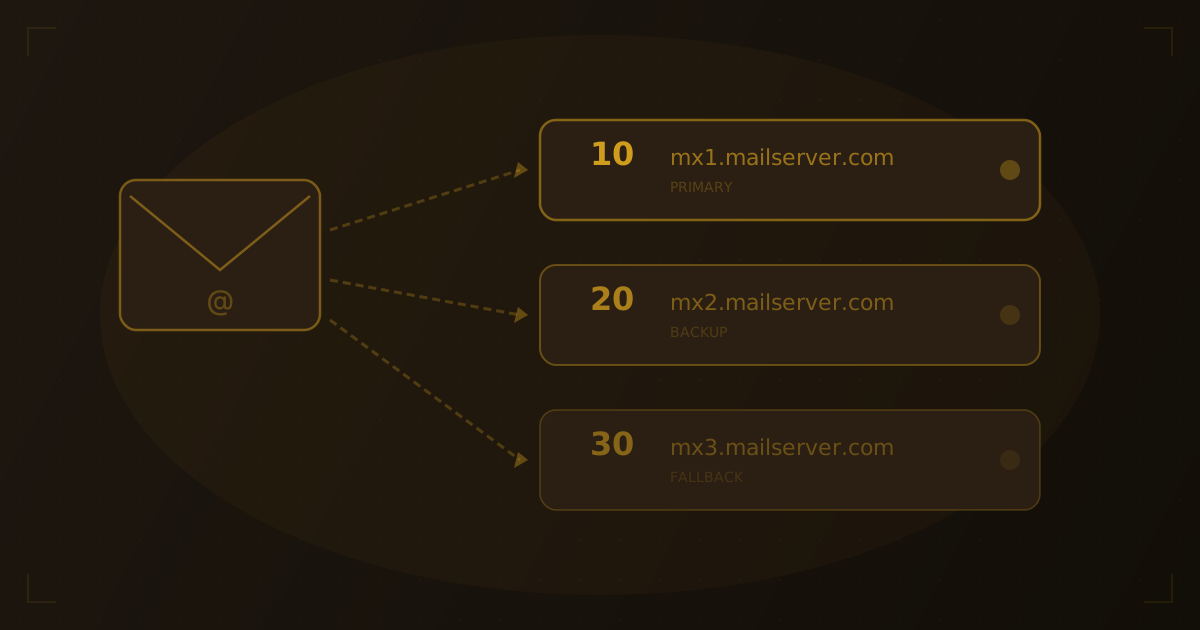
When a domain has multiple MX records, the priority value determines the delivery order. The sending server always tries the lowest-numbered (highest priority) server first.
example.com.    3600    IN    MX    10 mail1.example.com.
example.com.    3600    IN    MX    20 mail2.example.com.
example.com.    3600    IN    MX    30 mail3.example.com.
In this configuration:
- Email is first delivered to
mail1.example.com(priority 10) - If
mail1is unreachable, the sender triesmail2.example.com(priority 20) - If both fail, delivery falls back to
mail3.example.com(priority 30)
When two MX records share the same priority value, the sending server distributes email between them randomly — a simple form of load balancing.
How to Check MX Records: 3 Methods
Method 1: Use an Online DNS Lookup Tool
The quickest way to perform an MX record lookup is with an online tool. Enter the domain name, and the tool queries the authoritative nameservers and returns all DNS records including MX entries.
Try it yourself
Check any website's hosting
Enter a domain or IP to see hosting provider, DNS records, and more.
Our hosting checker returns MX records alongside A, AAAA, CNAME, NS, and TXT records — giving you a complete picture of the domain's DNS configuration in one lookup.
Method 2: Using dig (Linux/macOS)
The dig command is the standard DNS query tool on Unix-based systems:
dig example.com MX +shortOutput:
10 mail1.example.com.
20 mail2.example.com.
For more detail including TTL and record class:
dig example.com MXMethod 3: Using nslookup (Windows/macOS/Linux)
The nslookup command is available on all major operating systems:
nslookup -type=MX example.comOutput:
example.com     mail exchanger = 10 mail1.example.com.
example.com     mail exchanger = 20 mail2.example.com.
For a detailed walkthrough of all DNS lookup methods, see our guide on how to find DNS records for any domain.
MX Records for Common Email Providers
When you set up email through a third-party provider, you replace your domain's MX records with the provider's mail servers. Here are the MX records for the most popular email services:
Google Workspace
| Priority | Mail Server |
|---|---|
| 1 | ASPMX.L.GOOGLE.COM |
| 5 | ALT1.ASPMX.L.GOOGLE.COM |
| 5 | ALT2.ASPMX.L.GOOGLE.COM |
| 10 | ALT3.ASPMX.L.GOOGLE.COM |
| 10 | ALT4.ASPMX.L.GOOGLE.COM |
Microsoft 365
| Priority | Mail Server |
|---|---|
| 0 | [tenant].mail.protection.outlook.com |
Replace [tenant] with your Microsoft 365 tenant name (e.g., contoso-com.mail.protection.outlook.com).
Zoho Mail
| Priority | Mail Server |
|---|---|
| 10 | mx.zoho.com |
| 20 | mx2.zoho.com |
| 50 | mx3.zoho.com |
ProtonMail
| Priority | Mail Server |
|---|---|
| 5 | mail.protonmail.ch |
| 10 | mailsec.protonmail.ch |
Fastmail
| Priority | Mail Server |
|---|---|
| 10 | in1-smtp.messagingengine.com |
| 20 | in2-smtp.messagingengine.com |
Troubleshooting Email Delivery with MX Records
Email bouncing with "no MX record found"
Cause: The domain has no MX records configured, or the nameservers are unreachable.
Fix: Add MX records pointing to your email provider's servers. If MX records exist but queries fail, verify your nameservers are responding correctly:
dig example.com NS +short
dig @ns1.provider.com example.com MXEmail delivered to the wrong server
Cause: Stale MX records pointing to an old email provider after migration. In our testing, this is the most common issue we see after email migrations.
Fix: Update MX records to the new provider's servers and remove the old entries. Check that the TTL on the old records has expired — if the previous TTL was 86400 seconds (24 hours), resolvers may cache the old values for up to a day.
Email marked as spam despite valid MX records
Cause: MX records are correct, but supporting email authentication records — SPF, DKIM, or DMARC — are missing or misconfigured.
Fix: Check for the following TXT records alongside your MX records:
dig example.com TXT +short
dig _dmarc.example.com TXT +short
You should see:
- SPF:
v=spf1 include:_spf.google.com ~all(adjusted for your provider) - DMARC:
v=DMARC1; p=quarantine; ... - DKIM: A TXT record at
[selector]._domainkey.example.com
Intermittent delivery failures
Cause: Backup MX servers (higher priority numbers) are misconfigured or not accepting email for the domain.
Fix: Verify that all servers listed in MX records are configured to accept email for your domain. Test each server individually:
dig example.com MX +short
# Then test each server
telnet mail1.example.com 25
If backup servers aren't properly configured, remove them. We've found that a single working MX record is better than multiple records where backups silently drop email.
Frequently Asked Questions
What happens if a domain has no MX records?
If no MX records exist, most mail servers fall back to the domain's A record and attempt delivery directly to that IP address on port 25. However, this fallback is unreliable — many modern mail servers skip it entirely. Always configure explicit MX records for domains that receive email.
Can MX records point to an IP address?
No. Per RFC 5321, MX records must point to a hostname, not an IP address. The hostname itself must have an A or AAAA record that resolves to an IP. For example, MX 10 93.184.216.34 is invalid — it must be MX 10 mail.example.com where mail.example.com has an A record pointing to 93.184.216.34.
How long do MX record changes take to propagate?
MX record propagation depends on the TTL of the previous record. With a 3600-second TTL (1 hour), most resolvers worldwide will pick up the change within an hour. If you're planning an email migration, lower the TTL to 300 seconds at least 24 hours before making the switch to minimize the transition window.
Should I use the same priority for all MX records?
Using the same priority for all MX records distributes email randomly across all listed servers — a form of load balancing. This works well when all servers are equally capable. For most setups, use different priorities to establish a clear primary server with fallback options.
The Future of Email Routing
Email security standards are advancing beyond basic MX configuration. MTA-STS (Mail Transfer Agent Strict Transport Security) is gaining adoption, allowing domains to enforce TLS encryption on incoming email connections rather than relying on opportunistic encryption. DANE/TLSA records enable certificate pinning for email servers, ensuring that mail is only delivered to servers presenting the correct certificate. BIMI (Brand Indicators for Message Identification) is also emerging, letting domains display verified brand logos in email clients — adding a visual trust layer that builds on top of properly configured MX, SPF, DKIM, and DMARC records.
Wrapping Up
MX records are the foundation of email delivery for every domain on the internet. Checking them is straightforward — a single dig command or a quick DNS lookup reveals exactly which servers handle a domain's email and in what order. When email problems arise, MX records should be the first thing you check, followed by the supporting SPF, DKIM, and DMARC records that authenticate your email.
For a broader understanding of how MX records fit into the DNS system, read our beginner's guide to DNS or the complete guide to every DNS record type.
Related Articles
Written by
Piotr KulpinskiFounder of Hosting Checker and a web developer with over a decade of experience in DNS, hosting infrastructure, and domain management. Piotr builds tools that help developers and site owners understand their web stack.