
SSL Certificate Types Explained: DV, OV, and EV Compared
SSL certificate types explained — learn the differences between DV, OV, and EV certificates, their validation, costs, and when to use each. Check yours free.

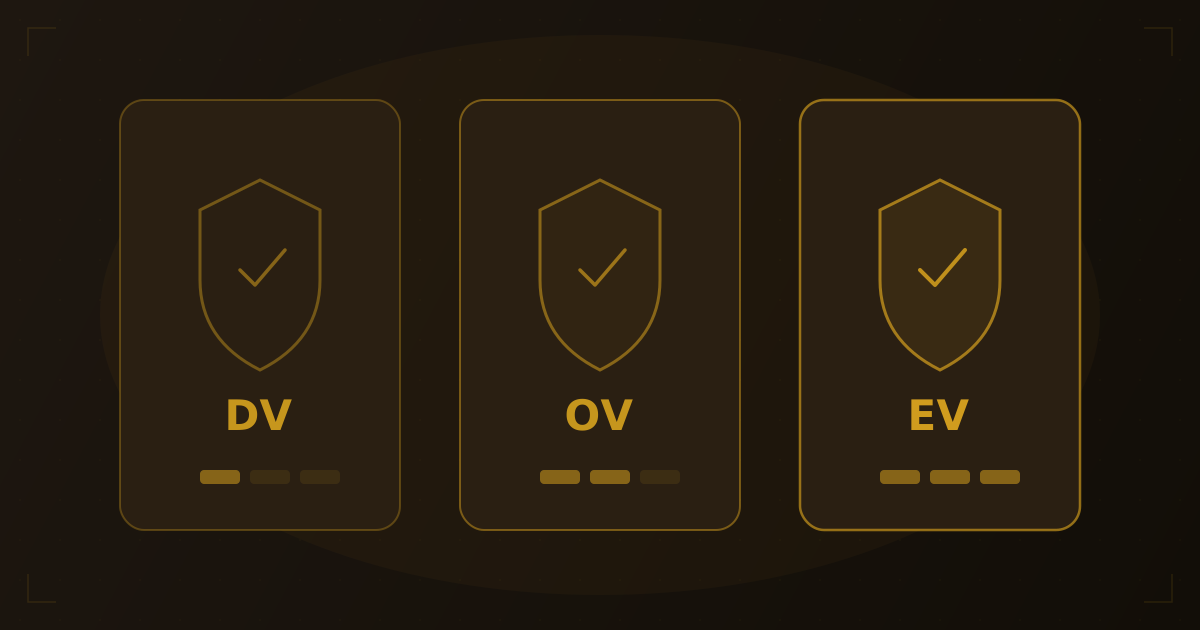
Not all SSL certificates are created equal. While every valid certificate encrypts the connection between a browser and server using the same cryptographic standards, the level of identity verification behind that certificate varies dramatically. We've inspected certificates across thousands of domains, and understanding SSL certificate types helps you choose the right level of trust for your website — and recognize what a certificate does (and doesn't) guarantee when you visit someone else's site.
Quick Answer: There are three main types of SSL certificates based on validation level: DV (Domain Validation) verifies domain ownership only and is issued in minutes, OV (Organization Validation) verifies the legal organization behind the domain, and EV (Extended Validation) requires rigorous identity verification. All three provide identical encryption strength — the difference is how much the Certificate Authority verifies about who owns the certificate. You can check any site's certificate type using an SSL checker tool.
How SSL Certificate Validation Works
When you request an SSL certificate, a Certificate Authority (CA) performs a validation process before issuing it. The depth of that validation determines the certificate type. Think of it like identification documents: a library card proves your name, a driver's license adds your address and photo, and a passport involves the most thorough verification.
The CA verifies different information depending on the type:
| Validation Level | What the CA Verifies | Issued In | Typical Cost |
|---|---|---|---|
| DV | Domain ownership | 1-10 minutes | Free - $50/year |
| OV | Domain + organization identity | 1-3 business days | $50 - $200/year |
| EV | Domain + organization + legal/physical verification | 1-2 weeks | $100 - $500/year |
DV Certificates: Domain Validation
DV (Domain Validation) certificates are the most common type of SSL certificate on the internet. The CA only verifies that the applicant controls the domain — nothing more.
How DV validation works
The CA confirms domain ownership through one of three methods:
- Email verification — the CA sends a confirmation email to an administrative address like
[email protected]or[email protected] - DNS verification — the applicant adds a specific TXT record to the domain's DNS (learn more in our DNS records guide)
- HTTP verification — the applicant places a specific file at a designated URL on the web server
When to use DV certificates
- Personal websites and blogs
- Small business sites without e-commerce
- Development and staging environments
- Any site where encrypting the connection matters more than proving organizational identity
DV certificate providers
Let's Encrypt is the most widely used DV certificate provider, issuing free 90-day certificates with automated renewal. According to Let's Encrypt's own statistics, they've issued certificates for over 360 million websites. Other providers like ZeroSSL and Cloudflare also offer free DV certificates.
Most modern hosting providers include free DV certificates through Let's Encrypt or a similar service — meaning there's no reason for any website to run without HTTPS. In our testing, the vast majority of sites we check use Let's Encrypt or Cloudflare-issued DV certificates.
OV Certificates: Organization Validation
OV (Organization Validation) certificates add a layer of identity verification beyond domain ownership. The CA confirms that a real, legally registered organization operates the domain.
How OV validation works
In addition to domain verification, the CA performs:
- Organization verification — confirms the business is legally registered using government databases or official documents
- Address verification — validates the organization's physical address
- Phone verification — calls the organization's listed phone number to confirm the request
What OV certificates show
The organization's name and location appear in the certificate's Subject field. Visitors can view this information by inspecting the certificate details in their browser — though there's no visual indicator in the address bar to distinguish an OV certificate from a DV one.
openssl s_client -connect example.com:443 -servername example.com 2>/dev/null | openssl x509 -noout -subjectAn OV certificate returns something like:
subject=C = US, ST = California, L = San Francisco, O = Example Inc, CN = example.com
A DV certificate only shows:
subject=CN = example.com
When to use OV certificates
- Business websites that want to display organizational identity
- E-commerce sites handling customer data
- SaaS applications where users need to trust the company behind the service
- Government and educational institution websites
EV Certificates: Extended Validation
EV (Extended Validation) certificates require the most rigorous identity verification of any certificate type. The CA performs an extensive review of the organization's legal existence, operational status, and physical presence.
How EV validation works
The EV validation process includes everything in OV validation, plus:
- Legal existence — verified through government registration databases, articles of incorporation, or legal opinion letters
- Operational existence — confirmed through bank account verification, Dun & Bradstreet listing, or three or more years of active operation
- Physical address — verified through utility bills, bank statements, or a third-party database
- Authority verification — the CA confirms that the person requesting the certificate is authorized to do so on behalf of the organization
- Phone callback — the CA calls a verified phone number to confirm the request with an authorized contact
The green bar: a brief history
EV certificates were once visually distinct in browsers: Chrome, Firefox, and Safari displayed the organization's name in a green address bar. However, research by Google and others showed that most users didn't notice or understand this indicator. Starting in 2019, major browsers progressively removed the green bar treatment. Today, EV certificates display the same padlock icon as DV and OV certificates — the organization name is only visible by clicking the padlock and inspecting certificate details.
When to use EV certificates
- Financial institutions and banks
- Large e-commerce platforms processing significant transaction volumes
- Healthcare organizations handling patient data
- Enterprise software companies where trust is a competitive differentiator
- Organizations in regulated industries (finance, insurance, healthcare)
Wildcard and Multi-Domain Certificates
Beyond validation levels, SSL certificates also vary in how many domains they cover:
| Certificate Scope | What It Covers | Example |
|---|---|---|
| Single domain | One specific domain | example.com only |
| Wildcard | A domain + all subdomains (one level) | *.example.com covers www, blog, shop, etc. |
| Multi-domain (SAN) | Multiple specific domains listed in Subject Alternative Names | example.com, example.org, example.net |
| Multi-domain wildcard | Multiple wildcard domains | *.example.com + *.example.org |
Wildcard certificates are available at the DV and OV levels. EV certificates do not support wildcards — each domain must be individually validated and listed as a Subject Alternative Name.
How to Check a Website's Certificate Type
Method 1: Use an SSL checker tool
Enter any domain into our SSL checker to see the certificate's issuer, type, expiration date, and the full certificate chain.
Try it yourself
Check any website's hosting
Enter a domain or IP to see hosting provider, DNS records, and more.
Method 2: Inspect in your browser
- Click the padlock icon in the address bar
- Click "Connection is secure" (Chrome) or "More Information" (Firefox)
- View the certificate details
- Look at the Subject field — if it contains
O = Organization Name, it's an OV or EV certificate. If onlyCN = domain.comappears, it's DV.
Method 3: Command line
Use openssl to inspect the certificate and check for the organization field:
openssl s_client -connect example.com:443 -servername example.com 2>/dev/null | openssl x509 -noout -text | grep -E "Subject:|Policy:"EV certificates include a specific Certificate Policy OID that identifies them as extended validation.
For a complete guide to verifying SSL certificates, see our article on how to check if a website has SSL.
Choosing the Right Certificate Type
| Factor | DV | OV | EV |
|---|---|---|---|
| Encryption strength | 256-bit | 256-bit | 256-bit |
| Issuance speed | Minutes | 1-3 days | 1-2 weeks |
| Cost | Free - $50/yr | $50 - $200/yr | $100 - $500/yr |
| Browser padlock | Yes | Yes | Yes |
| Organization in cert | No | Yes | Yes |
| Regulatory compliance | Basic | Good | Best |
| Wildcard available | Yes | Yes | No |
| Best for | Personal sites, blogs | Businesses, e-commerce | Banks, enterprise |
For the majority of websites, a free DV certificate from Let's Encrypt provides all the encryption needed. From our experience, upgrading to OV makes sense if your business benefits from having organizational identity in the certificate, and EV is worth it if you operate in a regulated industry where maximum visible trust adds measurable value.
Frequently Asked Questions
Is a free DV certificate less secure than a paid EV certificate?
No. The encryption strength is identical — both use the same TLS protocol and cipher suites. A free DV certificate from Let's Encrypt provides 256-bit encryption, the same as a $500 EV certificate. The difference is only in how much the CA verified about the certificate holder's identity, not in the strength of encryption.
Do I need an EV certificate for e-commerce?
Not necessarily. Most successful e-commerce sites use DV or OV certificates. The encryption that protects credit card data in transit is identical across all certificate types. PCI DSS compliance requires HTTPS but doesn't mandate a specific validation level. EV certificates may add perceived trust for very high-value transactions, but the practical security benefit is the same.
Can I upgrade from DV to OV or EV without downtime?
Yes. You can obtain an OV or EV certificate while your DV certificate is still active, then install the new certificate as a replacement. The transition is seamless for visitors. Most hosting control panels and CDN providers support certificate replacement without any service interruption.
Why did browsers remove the green bar for EV certificates?
Research by Google, Mozilla, and academic institutions found that the green bar didn't meaningfully change user behavior. Studies showed that users rarely noticed the indicator, and phishing sites sometimes obtained DV certificates that displayed a padlock — training users to trust any padlock equally. Removing the visual distinction simplified the browser UI without reducing actual security.
What's Changing in the SSL Landscape
Google has proposed reducing maximum certificate lifetimes to 90 days, a shift that would make automated certificate management (via ACME protocols and tools like Certbot) effectively mandatory for all sites. Manual renewal workflows will no longer be viable at scale. Meanwhile, the industry is preparing for the post-quantum cryptography transition — new certificate algorithms designed to resist quantum computing attacks are being standardized and will begin appearing in production certificates over the coming years.
Wrapping Up
All three SSL certificate types — DV, OV, and EV — provide the same encryption strength. The difference lies in the identity verification performed by the Certificate Authority before issuing the certificate. DV proves domain ownership, OV adds organizational verification, and EV requires the most thorough review of legal and operational identity.
For most websites, a free DV certificate is sufficient. If you need organizational identity in your certificate, OV is the practical choice. EV makes sense primarily in regulated industries where documented trust chain is a compliance requirement. Whatever type you use, the most important thing is that your site has a valid, unexpired certificate — check yours with our SSL checker tool to verify.
Related Articles
Written by
Piotr KulpinskiFounder of Hosting Checker and a web developer with over a decade of experience in DNS, hosting infrastructure, and domain management. Piotr builds tools that help developers and site owners understand their web stack.